

If you’re running a blog, especially a WordPress blog, a professional email setup using your custom domain is a must. It enhances your credibility, strengthens your brand identity, and improves email deliverability. This is part of our Guest Blogging Series – read how to start a guest blog here.
This guide will walk you through how to set up a professional email for your blog, whether you’re using free hosting options, Gmail with a custom domain, or email APIs for automation.
Why Use a Custom Domain Email for Your Blog?
- Trust: Readers and sponsors are more likely to engage with a branded email.
- Brand Identity: Essential for domain-based email branding for bloggers.
- Deliverability: Reduces the risk of emails landing in spam folders.
- Organization: Create role-based emails like support@proguestranking.com, editor@proguestranking.com, or hello@proguestranking.com.
Whether you’re setting up a contact email or automating outreach, this step is crucial.
Option 1: Free Professional Email with Custom Domain (via Hosting)
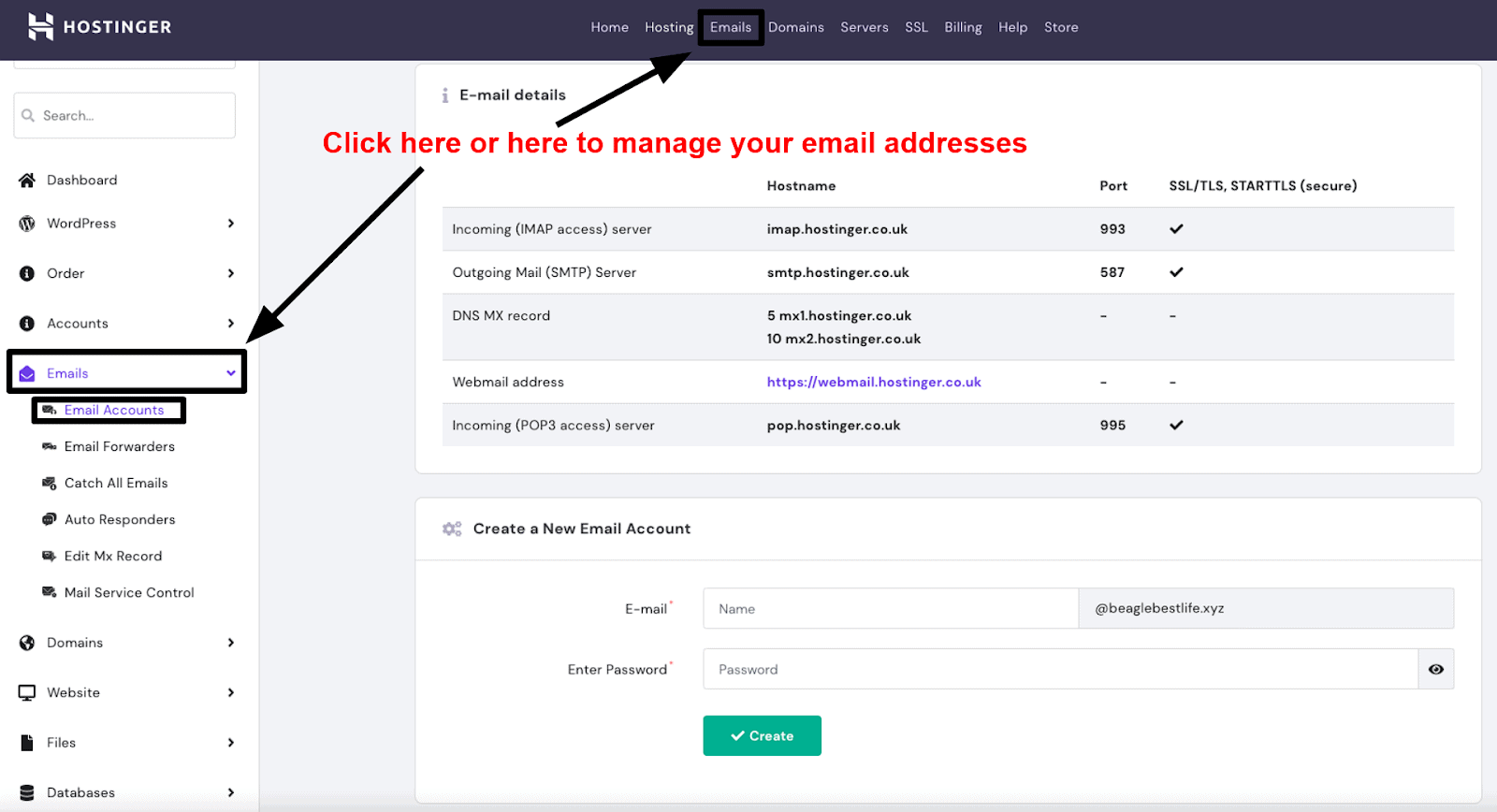
Many hosting providers, such as Bluehost, SiteGround, and Hostinger, offer free email accounts with your domain.
Steps:
- Log in to cPanel or your hosting dashboard.
- Navigate to Email Accounts.
- Click “Create” (e.g., info@proguestranking.com).
- Set a secure password.
- Access via Webmail or forward to Gmail.
Perfect for beginners looking for a free professional email with custom domain setup.
Option 2: Set Up Gmail with Custom Domain for Blog (Google Workspace)

Want to use Gmail with your domain name? Google Workspace is a clean, scalable solution.
- Sign up at Google Workspace.
- Choose a plan (starting at ~$6/month).
- Verify your domain ownership.
- Add DNS records for SPF and DKIM.
- Start emailing from yourname@proguestranking.com using Gmail’s interface.
Ideal for bloggers who want Gmail with custom domain blog-style.
Option 3: Zoho Mail – Free for Bloggers
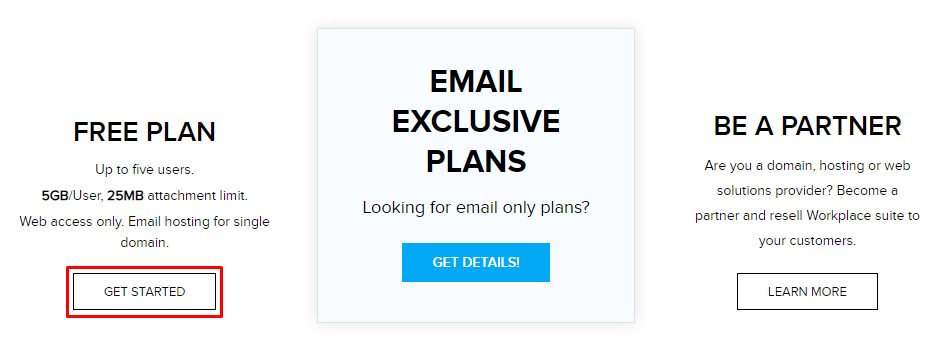
Zoho Mail is a budget-friendly option that doesn’t compromise on professionalism.
Steps:
- Sign up at Zoho Mail.
- Select the Forever Free Plan.
- Verify your domain and set up MX records.
- Add SPF/DKIM as instructed.
- Start emailing via Zoho’s Webmail or mobile app.
One of the best options for custom email addresses for WordPress blog owners.
Best Email Hosts for Custom Domain Blog Setup
Looking for reliable email hosting? Here are some top picks:
- Zoho Mail – Free & reliable
- Google Workspace – Premium features
- Namecheap Private Email – Budget-friendly
- ProtonMail (Custom Domains) – Privacy-focused
These are excellent choices for the best email host for custom domain blog use.
Setting Up SPF, DKIM, and DMARC Records
To avoid spam issues, follow these professional email deliverability tips:
- SPF: Specifies authorized sending servers.
- Example: v=spf1 include:zoho.com ~all
- DKIM: Ensures message integrity. Add as a TXT record in DNS (provided by your email service).
- DMARC: Tells servers how to handle failed SPF/DKIM checks.
- Example: v=DMARC1; p=none; rua=mailto:admin@proguestranking.com
These are essential for improving email deliverability blog-style.
Creating a Branded Email Signature
A custom email signature enhances your communication and reflects your brand.
Include:
- Name
- Blog URL
- Contact email
- Social links
- Optional photo or logo
Example:
- Best regards,
- Jane Doe
- Blogger | proguestranking.com
- contact@proguestranking.com
- Instagram | LinkedIn
After completing the above steps, you are up and running with the email for your blog.
Use Email APIs for Automation
If you’re planning to send newsletters, outreach emails, or contact form replies, consider using an Email API.
Popular Providers:
- SendGrid
- Mailgun
- Amazon SES
- Postmark
Why Use APIs?
- High deliverability
- Analytics & bounce handling
- Better performance than default SMTP
Using APIs is a smart way to automate and future-proof your custom domain email for blog communication.
Conclusion
Setting up a professional email is a vital part of your blog’s branding and communication strategy. Whether you’re starting with a free professional email with a custom domain or investing in Google Workspace or Mailgun, the benefits in credibility, performance, and scalability are undeniable.
